Custom Item Guide
Simple guide to making custom items.
Prerequisites
DDS2 Modding Project Installer
UE 5.3
Setup
After going through the DDS2 Modding Project Installer, and press "Unreal Editor" in the top-right of the Installer. This will open the Unreal Editor already setup for modding DDS2. I'm not writing this about the first steps.

File Location
The files you need will be located under All/Content/DataTables/Databases. DO NOT TOUCH THESE!! Find the Data Tables you want to edit (i.e SubstancesDatabase) and copy it to your mod folder (I did All/Content/[ModName]/DataTables/Databases) and paste it in there, make sure to rename it to something else.
Editing
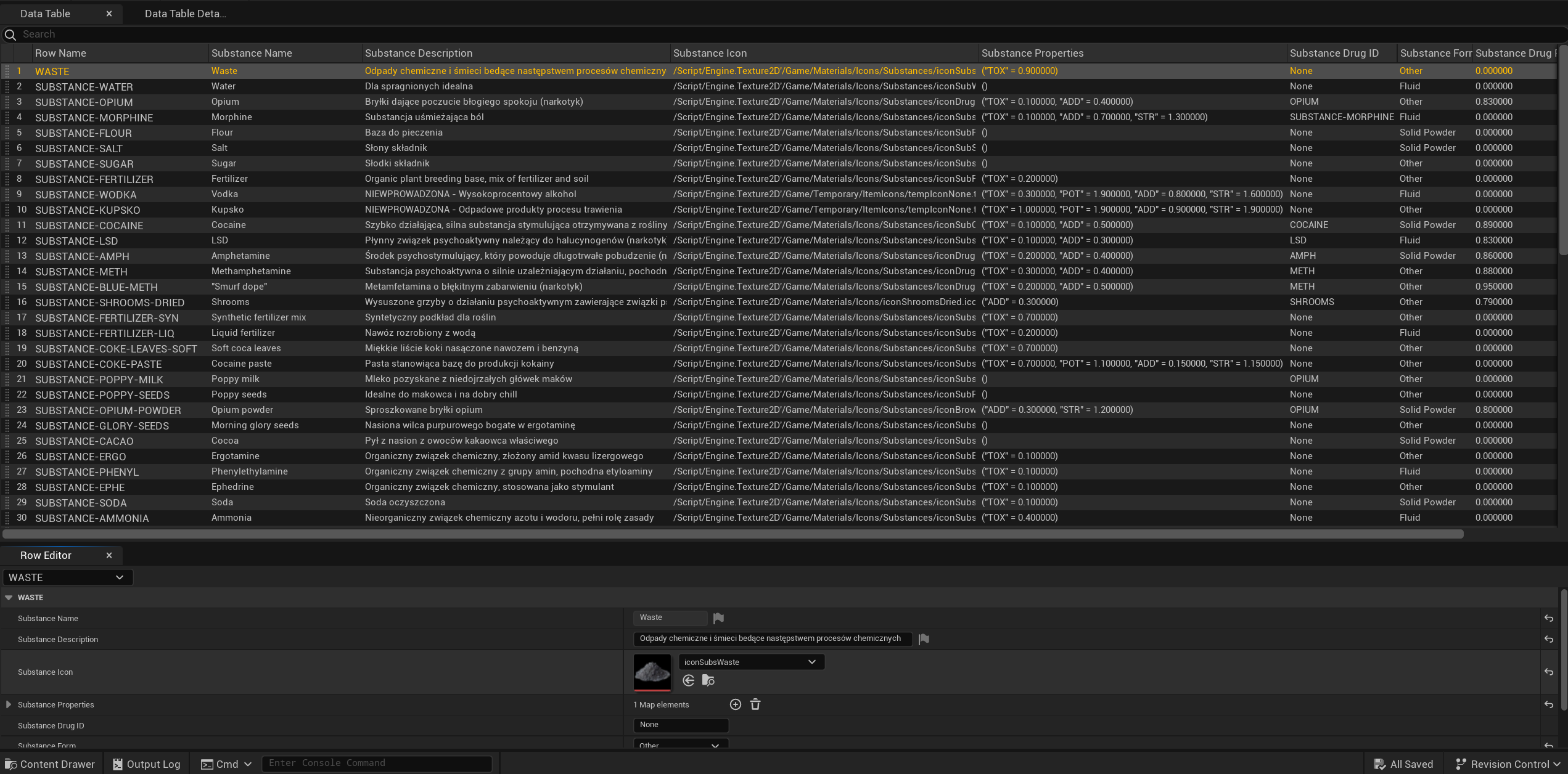
You should see something similar, might not be identical, to the screenshot below. Now look for the data you want to edit (i.e SUBSTANCE-WATER in this file).
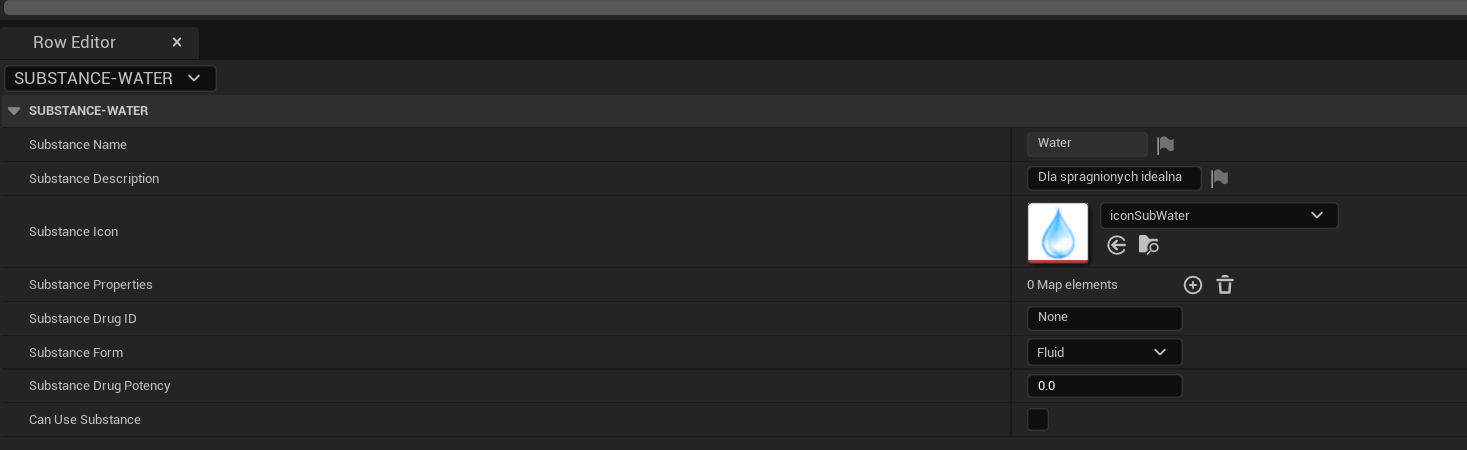
At the bottom you should something similar to this, now all you need to do is edit the preferred fields and you're done with that part.
Implementation
This does a better job at explaining this part.
Once that's done, goto your ModActor and create something similar to the following:
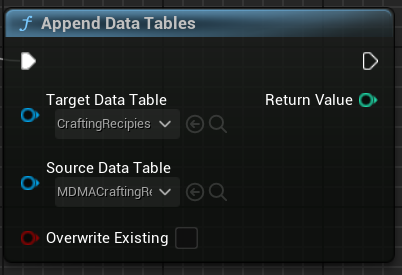
Set Target Data Table to the Vanilla Data Table and set Source Data Table to your Custom/Modded Data Table.